


SSD vs HDD: Which Is Better for Your PC in 2025?

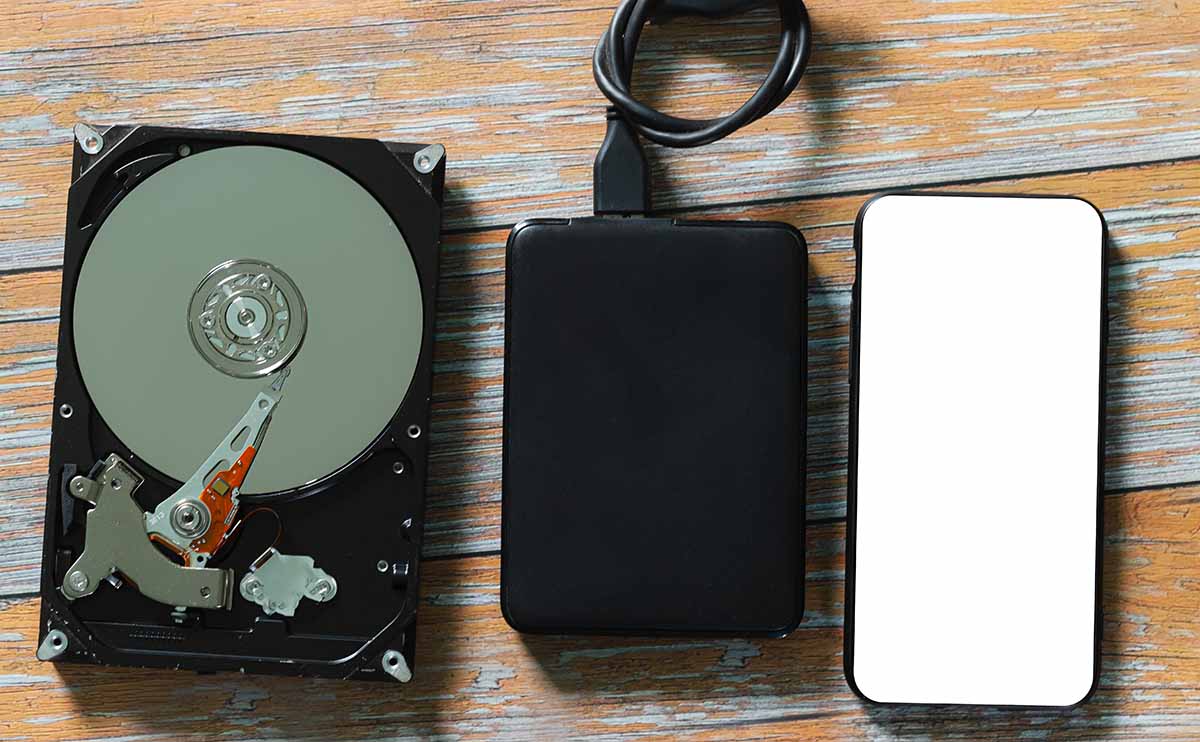
When it comes to upgrading or buying a new PC or laptop in 2025, one of the biggest decisions you’ll face is choosing between SSD (Solid State Drive) and HDD (Hard Disk Drive) storage. Both store your files, but they differ drastically in speed, performance, durability, and price.
In this comprehensive guide, Coremart.in breaks down the differences between SSDs and HDDs to help you choose the right storage for your needs — whether you’re a gamer, student, or professional.
What Is an HDD (Hard Disk Drive)?
HDDs have been around for decades and are the traditional storage option found in most older PCs.
They use spinning magnetic disks (platters) to read and write data with the help of a mechanical arm — just like a record player.
Key Features:
- Mechanical, moving parts
- Slower read/write speeds
- Larger storage capacities (up to 20TB)
- More affordable price per GB
HDDs are best for mass storage — ideal for users who need to store movies, backups, and large files but don’t need lightning-fast speed.
What Is an SSD (Solid State Drive)?
An SSD is a newer, faster form of storage that uses flash memory chips — similar to what’s in your smartphone or USB drive. There are no moving parts, which makes SSDs faster, quieter, and more reliable.
Key Features:
- Uses NAND flash memory
- No moving parts (shock-resistant)
- Extremely fast read/write speeds
- Lower power consumption
- More expensive per GB
SSDs are ideal for speed, performance, and reliability — perfect for laptops, gaming PCs, and business users who need faster boot times and application loading.
SSD vs HDD: A Detailed Comparison (2025 Edition)
| Feature | SSD (Solid State Drive) | HDD (Hard Disk Drive) |
| Speed | Extremely fast (up to 7,000 MB/s with NVMe) | Slower (100–200 MB/s) |
| Durability | Shock-resistant, no moving parts | Can be damaged by drops or movement |
| Noise | Completely silent | Audible spinning and clicking sounds |
| Power Consumption | Lower (ideal for laptops) | Higher power usage |
| Heat Generation | Minimal | Generates more heat due to mechanical parts |
| Storage Capacity | Typically up to 4TB (affordable options) | Up to 20TB (more cost-effective for bulk storage) |
| Price per GB | Higher (₹7–₹10 per GB) | Lower (₹2–₹4 per GB) |
| Lifespan | Long (depends on write cycles) | Limited by mechanical wear |
| Best For | Speed, gaming, multitasking, OS drive | Storing large files, backups, media libraries |
Performance: SSD Wins Hands Down
If performance is your priority, SSD is the clear winner.
In 2025, the latest NVMe Gen 4 and Gen 5 SSDs offer blazing-fast speeds that can boot Windows in seconds and load games 10x faster than traditional hard drives.
Typical Performance Benchmarks:
- SATA SSDs: 500–550 MB/s read/write speed
- NVMe SSDs (Gen 4): 3,500–7,000 MB/s read/write
- HDDs: 100–150 MB/s
That means an SSD can launch your system, open apps, and transfer files instantly, while HDDs take much longer.
💡 If you’ve ever wondered why a new laptop feels much faster than your old one, the reason is almost always the SSD.
Power Efficiency and Battery Life
For laptops, storage type directly affects battery life.
Since SSDs have no mechanical components, they consume less power, generate less heat, and allow for longer usage on battery.
- SSD laptops: typically last 30–45 minutes longer per charge.
- HDD laptops: drain more power due to spinning disks.
If you’re always on the move — working, studying, or traveling — an SSD is a must-have in 2025.
Noise and Heat Levels
HDDs produce noticeable whirring or clicking sounds when running, especially under load.
SSDs, on the other hand, are completely silent because they lack moving parts.
They also produce less heat, helping your system run cooler and improving overall performance — especially in slim laptops and compact desktops.
Lifespan and Reliability
In older years, SSDs were known to have limited lifespans due to “write endurance.”
But in 2025, modern SSDs (especially from brands like Samsung, Crucial, Kingston, and WD) are engineered with wear-leveling technology that extends their lifespan significantly.
Average Lifespan (2025):
- SSD: 8–10 years (or more, depending on usage)
- HDD: 5–7 years (mechanical wear and tear)
If your system suffers from power outages or frequent movement, SSDs handle these better because they’re shock-resistant and have no moving parts.
Price and Storage Capacity
Here’s where HDDs still win: price and capacity.
If you need terabytes of space to store raw footage, backups, or media, HDDs are more budget-friendly.
Example (2025 Pricing in India):
| Capacity | SSD (Approx. Price) | HDD (Approx. Price) |
| 500GB | ₹2,500–₹3,000 | ₹1,500 |
| 1TB | ₹4,500–₹6,000 | ₹3,000 |
| 2TB | ₹9,000–₹12,000 | ₹5,000 |
| 4TB | ₹18,000+ | ₹8,000–₹9,000 |
👉 Pro Tip: Many modern systems combine both:
- SSD for OS and apps (for speed)
- HDD for storage (for space)
This hybrid setup gives you the best of both worlds — performance and capacity.
SSD vs HDD for Gaming
Gamers in 2025 should always choose SSDs — especially NVMe types.
Games today are huge (100–200GB), and fast loading matters for both boot times and gameplay performance.
Why SSDs are better for gaming:
- Faster game loading and level transitions
- Reduced stuttering and lag
- Improved system responsiveness
Even budget gaming laptops now come with 512GB NVMe SSDs, offering a noticeable difference in performance over HDD-based systems.
SSD vs HDD for Work or Study
For work and study users, SSDs make a world of difference:
- Instant system startup
- Faster file saving and retrieval
- Smooth multitasking
- Quiet operation (ideal for classrooms and offices)
If you’re a student or professional using software like MS Office, Zoom, Photoshop, or AutoCAD, SSDs can improve productivity and efficiency dramatically.
Hybrid Drives and Dual Storage Options
In 2025, many desktop PCs and laptops offer dual storage — combining both SSD and HDD.
- SSD (120GB–512GB): for Windows and programs
- HDD (1TB–4TB): for movies, photos, and backups
This combo gives you speed + storage capacity without breaking the bank.
At Coremart.in, you’ll find prebuilt systems and laptops featuring this hybrid configuration for maximum value.
Final Verdict: Which Is Better in 2025?
| User Type | Recommended Storage |
| Student / Casual User | 512GB SSD |
| Professional / Business | 1TB SSD or SSD + HDD combo |
| Gamer / Creator | 1TB NVMe SSD (Gen 4/5) |
| Budget Buyer | 256GB SSD (upgrade later) or 1TB HDD |
The Bottom Line:
- Choose SSD if you value speed, reliability, and performance.
- Choose HDD if you need mass storage on a budget.
- Or, combine both for the perfect balance.
At Coremart.in, we offer a wide range of SSDs, HDDs, and hybrid drives from trusted brands like Seagate, WD, Samsung, Kingston, and Crucial — all 100% genuine and competitively priced.
Upgrade your system today and experience the speed revolution of SSDs in 2025!


