


Top 10 Essential Accessories for Your New Laptop

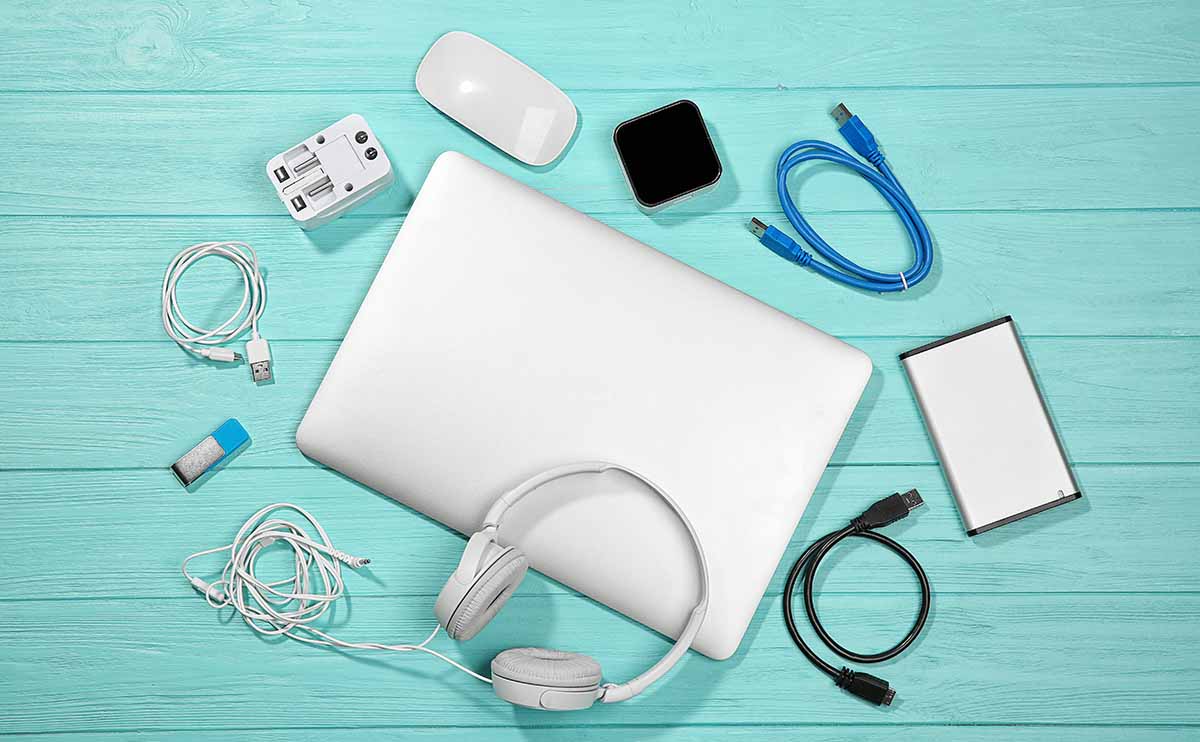
So, you’ve finally bought a brand-new laptop — congratulations!
Whether it’s for work, study, or gaming, your laptop is one of the most valuable tools you’ll own. But to make the most out of it — in terms of performance, protection, and productivity — you need the right set of accessories.
In this guide, Coremart.in lists the Top 10 Essential Laptop Accessories for 2025 that every user should consider. From must-have gadgets to smart add-ons, these accessories will enhance your laptop’s life, speed, comfort, and safety.
Why You Need Laptop Accessories
A laptop is powerful on its own, but it’s not perfect.
Accessories can:
- Improve your typing comfort and ergonomics
- Extend battery life and cooling efficiency
- Boost productivity and data transfer speeds
- Keep your device safe and secure
- Make working on the go much easier
So, let’s dive into the top accessories every laptop owner should have in 2025.
-
Laptop Cooling Pad – Keep It Cool and Efficient
Laptops generate a lot of heat, especially when you’re multitasking, gaming, or editing videos. Overheating can slow down performance and even damage internal components.
A cooling pad or cooling stand helps maintain an optimal temperature by providing active airflow through built-in fans.
Benefits:
- Prevents overheating and throttling
- Extends battery and component life
- Often doubles as an ergonomic stand
Pro Tip:
Choose a USB-powered cooling pad with adjustable height and silent fans for the best comfort.
-
Laptop Bag or Sleeve – Protect Your Investment
Your laptop deserves solid protection — whether you’re commuting, traveling, or just moving between rooms.
A padded laptop bag or sleeve safeguards your device from scratches, shocks, and spills.
Benefits:
- Protects against drops, dust, and rain
- Offers compartments for chargers, mouse, and accessories
- Lightweight and easy to carry
Pro Tip:
Look for water-resistant materials and anti-theft zippers if you travel frequently.
-
USB-C Hub or Docking Station – Expand Your Connectivity
Modern laptops, especially ultrabooks, often come with limited ports.
A USB-C hub or docking station can instantly expand your connectivity options.
What It Adds:
- Extra USB 3.0 ports for peripherals
- HDMI/VGA output for external displays
- Ethernet, SD card, and audio ports
- Power delivery for charging
Pro Tip:
Invest in a multi-port USB-C hub that supports 4K display output and fast charging — perfect for professionals and creators.
-
Wireless Mouse – Ditch the Trackpad Fatigue
While touchpads are convenient, they’re not ideal for long hours of work or design tasks.
A wireless mouse provides better control, precision, and comfort.
Benefits:
- Smooth and accurate navigation
- No messy cables
- Available in ergonomic and compact designs
Pro Tip:
If you travel often, go for a Bluetooth mouse that connects without a USB dongle. For gaming, choose a high-DPI mouse with customizable buttons.
-
External Keyboard – Improve Comfort and Typing Speed
A good external keyboard can make a world of difference in typing comfort and efficiency.
It’s especially useful if you use a laptop stand or external monitor setup.
Benefits:
- Better ergonomics and wrist comfort
- Faster typing with tactile keys
- Ideal for long work sessions
Pro Tip:
For home setups, try a mechanical keyboard for premium feedback. For portability, go for a compact wireless keyboard.
-
Power Bank or Portable Charger – Stay Powered Anywhere
Running out of battery while traveling or attending meetings can be frustrating.
A laptop-compatible power bank ensures you stay productive even on the go.
Benefits:
- Provides backup power for long trips
- Supports fast charging via USB-C PD
- Can also charge phones and tablets
Pro Tip:
Pick a high-capacity power bank (20,000mAh or more) that supports your laptop’s wattage output (typically 45W–65W).
-
External SSD or HDD – Expand Your Storage
Need more space for files, videos, or backups? An external SSD or HDD is the perfect solution.
SSD vs HDD:
- SSD (Solid-State Drive): Faster, smaller, and shockproof
- HDD (Hard Disk Drive): Cheaper, great for large file storage
Pro Tip:
Choose an NVMe-based external SSD for lightning-fast data transfer speeds (up to 1,000MB/s). It’s perfect for professionals, gamers, and photographers.
-
Headphones or Earbuds – Enhance Audio and Focus
Whether you’re in online meetings, studying, or relaxing with music, a good pair of headphones can improve focus and sound quality.
Benefits:
- Clearer voice calls and meetings
- Immersive sound for music or movies
- Noise-cancellation for work environments
Pro Tip:
For work-from-home users, noise-cancelling Bluetooth headphones are a game-changer. If you travel often, consider compact wireless earbuds with long battery life.
-
Laptop Stand – Improve Posture and Cooling
Working long hours on a flat surface can cause back and neck pain.
A laptop stand elevates your screen to eye level, improving posture and reducing strain.
Benefits:
- Promotes ergonomic posture
- Improves airflow under the laptop
- Reduces wrist and shoulder strain
Pro Tip:
Opt for a foldable, adjustable metal stand that’s sturdy and portable — ideal for both office and travel.
-
Antivirus Software – Keep Your Laptop Safe
Security should never be an afterthought.
Installing genuine antivirus software protects your system from malware, phishing, and ransomware attacks.
Benefits:
- Real-time protection against viruses and spyware
- Safe browsing and email filtering
- Firewall and ransomware shield
Recommended Options:
- Quick Heal Total Security
- Kaspersky Internet Security
- McAfee LiveSafe
- Norton 360 Deluxe
Pro Tip:
Always buy licensed antivirus software from trusted sellers like Coremart.in to ensure genuine activation and regular updates.
Bonus: Optional Accessories Worth Considering
If you want to go beyond the basics, here are a few more accessories that can make your laptop experience even better:
- External Monitor: For dual-screen productivity
- Webcam Cover: For privacy protection
- Keyboard Skin: Protects from dust and spills
- External Microphone: For clearer online calls
- Bluetooth Speakers: For entertainment and music
Where to Buy the Best Laptop Accessories in India
You can find all these must-have accessories — from cooling pads and SSDs to antivirus and keyboards — at Coremart.in.
As an authorized reseller of computer hardware and software, Coremart offers:
- 100% genuine products
- Affordable pricing
- Fast delivery across India
- Trusted brands like Logitech, HP, Dell, Samsung, Kingston, and more
Final Thoughts
Buying a laptop is just the first step.
Investing in the right accessories enhances your comfort, safety, and productivity — ensuring your device performs at its best for years to come.
Whether you’re a student, gamer, or business professional, the accessories above will help you work smarter, play better, and protect your investment.


